
Proxy Browser
DS toolsTools
3.83.56K Reviews
- Version
- 5.0 RC1
- Installs
- 100.00M
- Age Rating
- Everyone
Screenshots
Our Review of Proxy Browser
 Analysis by Appyee
When I first try Proxy Browser, I want one simple thing: to open a web page through a proxy without turning a routine task into a networking project. That is the practical promise of this free Android tools app from DS tools. It has a 3.8 average from around 793,000 ratings, and more than 100 million installs, so it has clearly reached a broad audience. I’d approach it as a focused browser for people curious about proxy access, not as a guarantee of complete anonymity or protection from every online risk.
What a first-time user should expect
A proxy browser can route browsing requests through an intermediary server rather than sending them directly from your device to a website. That can be useful for some privacy-minded browsing or for testing whether a page behaves differently from another network location. It does not, by itself, make every part of your internet activity private: other apps may use their own connections, and websites can still identify people through account sign-ins, cookies, or other browser signals. I find that distinction important before anyone treats a proxy as an all-purpose privacy shield.
The app’s name and short store description set a straightforward expectation: a browser centered on proxy use. For a first session, I’d keep the goal equally modest. Open a page that does not involve sensitive information, check that it loads, and decide whether the browsing experience suits you. This is a more useful test than immediately relying on it for banking, work accounts, or anything that would be costly to expose.
It is available free, is rated for Everyone, and its listed Android minimum is version 5.0. The current version is 5.0 RC1, while optional in-app purchases are listed from $4.99 to $54.99 per item. I’d treat the free install as a chance to judge the basic experience first; there is no good reason to pay before you understand what you actually need from a proxy browser.
Getting from install to a first useful result
After installing it, I’d begin with a low-stakes browsing test rather than changing several settings at once. Open the browser, find the proxy connection controls, choose an available option if the app presents one, and visit a simple public page. If the connection works, note whether the page loads normally and whether the result is different from what you see in your usual browser. That small comparison gives you a concrete first success without confusing a proxy connection with a full device-wide VPN.
For a practical everyday example, imagine you are travelling and want to check how a public page appears from a different network route. I would use the browser for that quick check, then return to my usual browser for tasks that depend on saved passwords, synced tabs, or a familiar account setup. Keeping those jobs separate makes it easier to understand what the proxy browser is doing and avoids moving sensitive routines into a tool before you trust its behaviour.
If a page fails to load, I would not assume the app is broken or that the website is blocking the proxy. Try a different ordinary page, check whether the connection option is still active, and repeat the test later. A failed page can result from the site, the proxy route, or the network you are using. Changing one thing at a time makes troubleshooting far less frustrating than repeatedly switching settings without knowing which change mattered.
How it fits beside familiar browsers and VPNs
Compared with a standard browser, the appeal here is having proxy-oriented browsing in a dedicated app instead of relying only on the browser you already use. The trade-off is that a separate browser usually means a separate collection of tabs, history, and habits. If your priority is smooth syncing across devices, saved logins, and continuity with a desktop browser, your everyday browser may be the better home for most tasks.
A VPN is a different kind of alternative. People commonly choose one when they want a connection intended to cover traffic from more than a single browser, while a proxy browser is a narrower choice for web browsing within that app. I would not treat the two as interchangeable, or assume that a proxy browser protects traffic from other apps. If you need broader network coverage, compare VPN options carefully; if you only want to experiment with proxy-based web access, a dedicated browser may be a simpler place to start.
There is also a useful middle ground: keep your normal browser for regular accounts and use this one only for occasional proxy-related checks. That avoids a rushed migration of bookmarks and passwords, while giving you a clear way to compare the same public page in two browsers. It is a small workflow change, but it helps reveal whether the proxy route is useful to you rather than relying on a vague sense that browsing feels more private.
Using Proxy Browser with realistic expectations
Alright, let’s dive into the world of Proxy Browser, an app that’s been making waves in both the Android and iOS communities. If you’re like me, always on the hunt for apps that promise to make our online experiences safer and more seamless, then this one might just catch your interest.
What’s the Buzz About Proxy Browser?
First off, Proxy Browser isn’t your typical browser. It’s designed to offer a more secure and private browsing experience by routing your internet traffic through various proxies. Think of it like having a digital cloak that helps you wander the web without leaving a trace. Sounds cool, right?
The app’s interface is sleek and intuitive. From the moment you launch it, you’re greeted by a clean layout that doesn’t overwhelm you with buttons and options. It’s simple, yet it packs quite a punch in terms of functionality. As someone who values efficiency, this was a big win for me.
Features That Stand Out
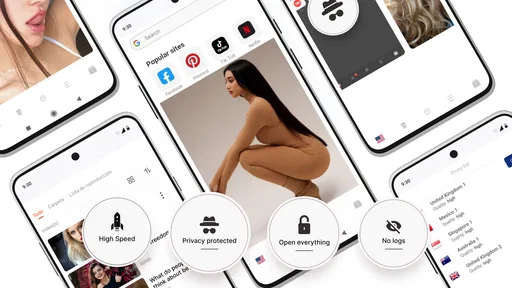
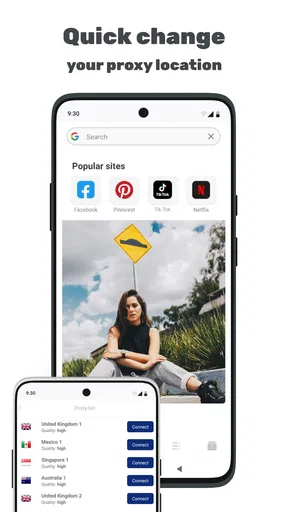
One of the standout features of Proxy Browser is its ability to connect to different proxy servers with just a few taps. Whether you want to access content from another country or simply add an extra layer of security, this app has got you covered.
The browsing speed is surprisingly fast. I’ve tried other proxy browsers before, and they often compromise on speed for security, but not this one. The developers seem to have struck a nice balance here, ensuring that you’re not left waiting forever for pages to load.
Another feature worth mentioning is the built-in ad blocker. If you’re anything like me and can’t stand those pesky pop-ups and ads that clutter your screen, you’ll appreciate this addition. It makes browsing not only faster but way less annoying.
Getting Down to the Nitty-Gritty
Now, let’s talk about the actual user experience. The installation process was a breeze. A quick download and a couple of taps later, I was ready to browse. The app doesn’t require you to jump through hoops or deal with complicated settings to get started.
Navigation is straightforward. The tab management feature is similar to what you’d find in other popular browsers, so there’s no steep learning curve here. Switching between tabs is smooth, and the app handles multiple tabs without a hitch.
Security is a major selling point for Proxy Browser. It uses advanced encryption to ensure your data stays private. In a world where online privacy is becoming more of a priority, this feature is not just a bonus—it’s essential.
Choosing when it makes sense
In my view, this browser is best for someone who wants a separate place to test proxy access, read public web pages, or make occasional location-sensitive checks. It may also suit a curious first-time user who wants to understand the difference between a direct connection and a proxy route without configuring network tools across the whole phone. The key is to use it for tasks where a separate browser is convenient, not to assume it can replace every privacy or security measure.
I would skip it if what you really want is one browser that keeps your bookmarks, open tabs, and browsing history in step across phone and computer. I would also look elsewhere if your goal is to route traffic from games, messaging apps, or other non-browser software. A browser’s proxy path is useful within its own browsing context, but it is not the same as changing how the whole device connects.
One practical tip is to compare the same non-sensitive page in this app and in your usual browser, ideally on the same network and close together in time. If a page’s content or availability differs, that gives you a clearer clue about the route than testing unrelated sites. Avoid signing into personal accounts during this comparison: an account login can identify you regardless of the apparent network location and makes the test less informative.
Let’s not forget about the customization options. You can tweak the settings to suit your preferences, from changing the theme to selecting which servers to connect to. It’s all about making the browser work for you, and that’s something I really appreciated.
Small habits that make the experience clearer
When browsing through a proxy, I’d keep expectations realistic about speed and page compatibility. A route that works well for one site may be slow or unreliable for another, and websites can behave differently when requests come through intermediary servers. If a page is important, try it again through your normal connection before concluding that the information is unavailable. For everyday reading, that extra check is an easy way to avoid mistaking a proxy hiccup for a permanent block.
I would also avoid treating the browser’s ad blocking as a substitute for careful browsing. Fewer interruptions can make pages easier to use, but blocking ads does not establish that a site is trustworthy, and it does not remove the need to watch for misleading buttons or suspicious downloads. My practical approach is to use the cleaner page view as a comfort feature while still judging links and requests on their own merits.
The separate-app setup has a quiet advantage: it can keep proxy experiments from interfering with your normal browser routine. But it also creates a small maintenance cost. If you open a page in one browser and later expect it in the other, you may need to find it again; saved information and tabs should not be assumed to carry over. I’d keep a short list of the few tasks for which I actually use the app, rather than gradually splitting all my browsing between two places.
Final Thoughts
All in all, Proxy Browser is a solid choice if you’re looking for a reliable, fast, and secure browser. It does what it promises and does it well. Whether you're tech-savvy or a casual user, you’ll find it easy to navigate and use.
So, if you’re ready to enhance your browsing experience with a touch of privacy and speed, go ahead and give Proxy Browser a try. It might just become your new favorite go-to app for all things web-related!
My recommendation is to start with one harmless, repeatable test and decide from there whether the app earns a place in your routine. The broad adoption suggests plenty of people have tried it, but the average rating of 3.8 also reminds me that a popular tool will not suit everyone equally. For me, the useful question is not whether a proxy browser sounds reassuring; it is whether this particular browsing workflow solves a task I genuinely have.
There is one point I would keep especially clear: I would not use any proxy browser as a promise of “leaving no trace.” A proxy can change the route a request takes, but privacy depends on more than that route. Websites may recognize accounts or browser data, and the proxy operator itself is part of the connection path. For sensitive activity, I would first understand the service and its handling of traffic rather than relying on a broad privacy impression.
If the basic experience works for you, the next step is to settle on a narrow routine: use it for public browsing or a specific proxy check, keep private account tasks in the environment you already trust, and revisit the choice if your needs change. That makes the app easier to evaluate and prevents a simple tool from becoming an assumed security blanket. For a first-time user, that measured approach is the most reassuring way to find out whether it belongs on the phone.
Verdict
Strengths of Proxy Browser
- User-friendly interface, easy navigation.
- Fast browsing speed with minimal lags.
- Supports multiple proxy locations.
- Ad-blocker reduces unwanted ads.
- Secure and private browsing experience.
Limitations of Proxy Browser
- Limited free features, premium needed.
- Occasional proxy disconnections.
- Some features require high bandwidth.
- Interface lacks customization options.
- Ads in free version are intrusive.
Similar Picks in This Category
View All
Google LLC4.0

Gboard - the Google Keyboard
Google LLC4.5

Google Play services
Google LLC4.3

Google Play Store
Google LLC4.9

Files by Google
Google LLC4.5

SHAREit: Transfer, Share Files
Smart Media4U Technology Pte.Ltd.4.3
Frequently Asked Questions
What is Proxy Browser and how does it work?
Proxy Browser is an application designed to enhance your online privacy by routing your internet traffic through a proxy server. This helps mask your IP address, making it difficult for websites and services to track your online activity. The app is suitable for users looking to maintain anonymity or access geo-restricted content.
Is Proxy Browser free to use, or are there any hidden costs?
Proxy Browser offers both free and premium versions. The free version provides basic proxy services with limited server options. The premium version, available through a subscription, offers enhanced features such as faster servers, no ads, and access to a wider range of locations. Users can choose based on their needs and budget.
Is it safe to use Proxy Browser for sensitive browsing activities?
While Proxy Browser enhances privacy by concealing your IP address, it's important to note that it does not encrypt your data like a VPN would. For sensitive activities, such as online banking or transmitting personal information, users should ensure that the websites they visit use HTTPS for additional security.
Can Proxy Browser be used to access geo-restricted content?
Yes, Proxy Browser can help users access geo-restricted content by routing traffic through servers in different countries. This allows users to appear as if they are browsing from another location. However, the effectiveness may vary based on the restrictions of specific websites and the server availability in the app.
Does using Proxy Browser affect internet speed?
Using Proxy Browser may affect your internet speed, as data is rerouted through a proxy server, which can introduce latency. The speed impact varies depending on server location, load, and the user's original internet speed. Premium versions usually offer faster servers to minimize this effect.
